Automate Salary Slips: Stop Doing Payslips by Hand
Learn how to automate salary slips by connecting attendance, leave and overtime, what a correct payslip must include, and a full worked example.
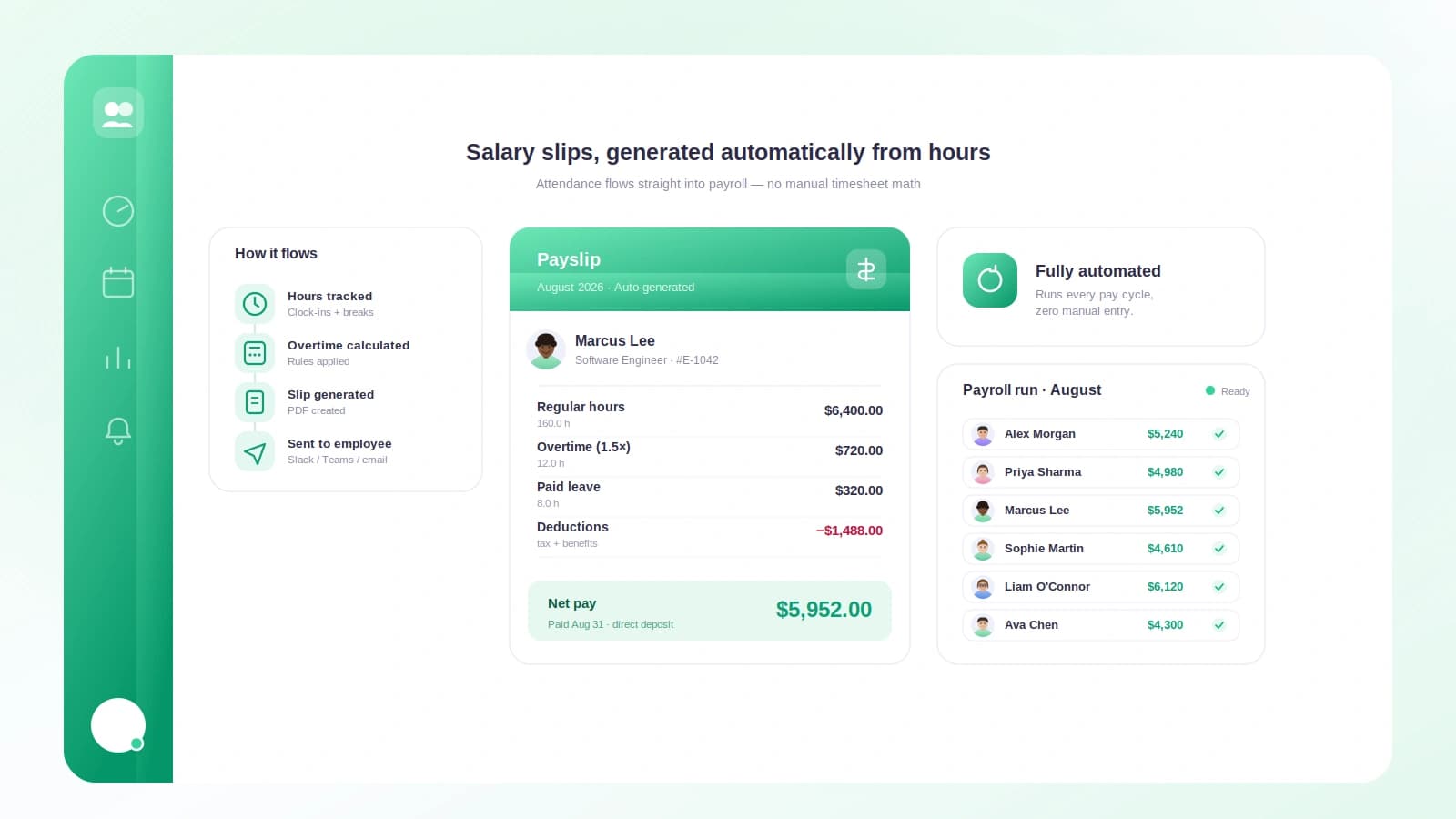
Payday should be the calm part of the month. For a lot of small teams it is the opposite: someone opens a spreadsheet, squints at a leave calendar, tries to remember who worked late, and starts typing numbers into a template one person at a time. It works right up until it doesn't, and then a single wrong cell turns into an awkward Slack message and a corrected payment three days later.
Payslips are one of the few documents where a small mistake is very visible and very personal. People notice when their pay is off by even a little. The good news is that most of the pain comes from doing the work by hand, and that part is genuinely fixable.
TL;DR
- Manual payslips break because the same numbers get copied by hand across attendance, leave, overtime and deductions.
- A correct payslip needs itemized earnings, each deduction listed on its own line, pro-ration for partial periods, and a clear net figure.
- When attendance, leave and overtime already live in one system, payslips become a generated output instead of a monthly project.
- Automation moves errors upstream to your source data, which is easier to audit than a finished PDF.
- Even a five-person team can generate accurate payslips every cycle without buying heavy enterprise software.
Why doing payslips by hand breaks down
The core problem is not effort, it is duplication. The numbers on a payslip already exist somewhere else. Hours worked live in your time records. Days off live in your leave tracker. Overtime lives in whatever note someone kept during a busy week. Doing payslips by hand means copying all of that into a template and hoping nothing got lost on the way.
Every copy is a chance to be wrong. A transposed digit, a leave day counted twice, an overtime shift forgotten. These are not signs of a careless person. They are the normal failure mode of manual data entry, and they get worse as the team grows.
Manual payslips also scale badly with time, not just headcount. A five-person payslip run might take thirty minutes. At fifteen people it is not three times longer, it is worse, because you are now cross-checking more edge cases: the mid-month joiner, the person who took unpaid leave, the one who covered two weekend shifts.
The hidden cost of "it mostly works"
A manual process that mostly works is dangerous precisely because it mostly works. You stop checking. Then a quarter later someone realizes overtime was calculated on the wrong base rate for two months, and now you are issuing back-pay and rebuilding trust at the same time.
What a correct payslip actually needs
Before automating anything, it helps to agree on what a good payslip looks like. A payslip is a record, not a receipt. Someone should be able to read it and understand exactly how their pay was built from the ground up.
At minimum, a clear payslip includes:
- Identifying details — employee name, pay period, and pay date.
- Itemized earnings — base salary shown separately from overtime, bonuses, or allowances.
- Hours and days — hours worked, leave taken, and any unpaid days for the period.
- Each deduction on its own line — taxes, insurance, advances, and anything else, never rolled into one mystery number.
- Gross, deductions, and net — the full arithmetic so the final figure is verifiable.
The principle behind all of this is transparency. A payslip exists so both sides can check the same math. If a line item cannot be explained in one sentence, it does not belong on the slip.
Pro-ration is where most errors hide
Pro-ration means paying a partial salary for a partial period. It applies to mid-month joiners, leavers, and anyone on unpaid leave. It is also the single most common place hand-built payslips go wrong, because it requires dividing by the right number of working days and multiplying carefully.
Get the working-day count wrong and the whole figure drifts. This is exactly the kind of arithmetic a machine should own.
How connecting your data makes payslips automatic
Here is the shift that changes everything: a payslip is not something you write, it is something you generate from data you already have.
If attendance, leave and overtime feed into one place, the payslip becomes a formatted view of that source. You are no longer copying numbers, you are reading them. That is the whole trick behind payroll automation, and it depends far more on clean inputs than on fancy output.
The pipeline looks like this:
- Attendance tells you days and hours actually worked.
- Leave tells you which absences are paid and which reduce pay.
- Overtime tells you extra hours and the rate they earn.
- Fixed values like base salary and standard deductions stay constant until you change them.
Feed those four inputs into one calculation and the payslip writes itself. Change a leave record and the next payslip reflects it automatically. Nobody retypes anything.
Where errors go instead
Automation does not delete errors, it relocates them. Instead of hiding in a finished PDF, mistakes now live in your attendance and leave data, where they are far easier to spot and fix. A wrong clock-out is obvious in a timesheet. The same wrong hour buried in a hand-typed slip is nearly invisible.
This is why good time and leave tracking matters so much. Getting overtime right at the source, as covered in how to calculate overtime pay, means the payslip is right without anyone double-checking it. The same goes for absences, which is why tidy leave management for small teams pays off directly at payroll time.
Manual versus automated: a side-by-side
The difference is easiest to see when you put the two approaches next to each other.
| Step | By hand | Automated |
|---|---|---|
| Gather hours | Read timesheets, retype totals | Pulled from attendance records |
| Apply leave | Cross-check a calendar manually | Applied from leave data automatically |
| Add overtime | Recall or reconstruct extra shifts | Calculated from logged overtime |
| Pro-rate partial pay | Manual division, easy to slip | Computed from working days |
| Build the slip | Fill a template per person | Generated for everyone at once |
| Fix an error | Redo the affected slip by hand | Correct the source, regenerate |
| Time for 15 people | Hours, plus double-checking | Minutes, mostly reviewing |
The automated column is not magic. It is the same arithmetic, done once, in the right order, on data that already exists.
A worked example
Let's build a real payslip for one person, step by step, so the mechanics are concrete.
Meet Priya. Her details for June:
- Monthly base salary: $2,200
- Working days in June: 22
- She joined on June 6, so she missed the first 3 working days.
- Days actually worked: 19
- Overtime: 6 hours at 1.5x her normal hourly rate.
- Standard deductions: tax $180, insurance $40.
Step 1: Pro-rate the base salary. Daily rate is $2,200 / 22 = $100 per working day. She worked 19 days, so pro-rated base = 19 x $100 = $1,900.
Step 2: Work out the hourly rate for overtime. Assume an 8-hour day. Hourly rate = $100 / 8 = $12.50. Overtime rate at 1.5x = $18.75 per hour.
Step 3: Calculate overtime pay. 6 hours x $18.75 = $112.50.
Step 4: Total the earnings (gross). Pro-rated base $1,900 + overtime $112.50 = $2,012.50 gross.
Step 5: Subtract deductions. Tax $180 + insurance $40 = $220 total deductions. Net pay = $2,012.50 - $220 = $1,792.50.
Her finished payslip:
| Line item | Amount |
|---|---|
| Base pay (19 of 22 days) | $1,900.00 |
| Overtime (6 hrs at 1.5x) | $112.50 |
| Gross pay | $2,012.50 |
| Tax | -$180.00 |
| Insurance | -$40.00 |
| Net pay | $1,792.50 |
Every number traces back to a source: attendance gave us the 19 days, overtime logs gave us the 6 hours, and the fixed values gave us the salary and deductions. Do this by hand once and it is fine. Do it for fifteen Priyas every month and you want the machine.
How Tickin handles this for you
This is exactly the gap Tickin is built to close. Because attendance, leave and overtime already live together inside Tickin, the payslip is generated from data your team creates just by clocking in and requesting time off. There is no separate export-and-retype step.
Employees clock in and out from Slack, Microsoft Teams, or the optional desktop tracker, and those hours flow straight into the pay calculation. Leave requests and approvals update the same records, so paid and unpaid days are already sorted by the time payroll runs. Overtime is captured as it happens, not reconstructed from memory.
When it is time to pay people, you review the source data, not a stack of hand-built documents, and payslips come out consistent for everyone at once. Correcting a mistake means fixing one clock-out and regenerating, not rebuilding a PDF. You can start for free or see how the pieces fit together on the features overview.
Getting started without overhauling everything
You do not need to change your whole operation to get most of the benefit. The move that matters is getting your inputs into one place first.
A sensible order:
- Track attendance consistently so hours are trustworthy before anything else.
- Log leave in the same system so paid and unpaid days are unambiguous.
- Capture overtime as it happens rather than at month-end.
- Fix your fixed values once: base salaries and standard deductions.
- Generate, then review instead of build, then hope.
Once those inputs are solid, payslips stop being a monthly event and become a button. The work shifts from producing numbers to sanity-checking them, which is a much better use of anyone's time.
Frequently asked questions
What must a correct payslip include?
Gross pay, itemized earnings like base and overtime, each deduction listed separately, and the final net pay, along with the pay period and hours worked.
Can small teams automate payslips without expensive software?
Yes. Once attendance, leave and overtime feed into one system, payslips can be generated automatically each cycle, even for teams of five to fifty people.
How does pro-ration work for someone who joined mid-month?
You divide the monthly salary by the working days in the period, then multiply by the days the person actually worked, so a mid-month joiner is paid fairly.
Do automated payslips reduce payroll errors?
They remove most manual copy-paste mistakes. Errors mostly shift upstream to your attendance and leave data, which is easier to check and correct.
How often should payslips be issued?
Once per pay cycle, usually monthly or biweekly, and always before or on the pay date so people can check their numbers against their own records.
The payoff
Automating salary slips is not really about the slips. It is about refusing to retype numbers you already have, and refusing to let a copy-paste slip turn into a trust problem on payday. Get attendance, leave and overtime into one place, agree on what a clear payslip looks like, and let the calculation run.
The teams that do this get their evenings back at month-end and stop dreading the "my pay looks wrong" message. Ready to stop doing payslips by hand? Start for free and, if scheduling is your next headache, read time tracking for small businesses to keep those inputs clean from day one.